


Drive Detail View
Overview
The detailed information of the drive is displayed.
Screenshots
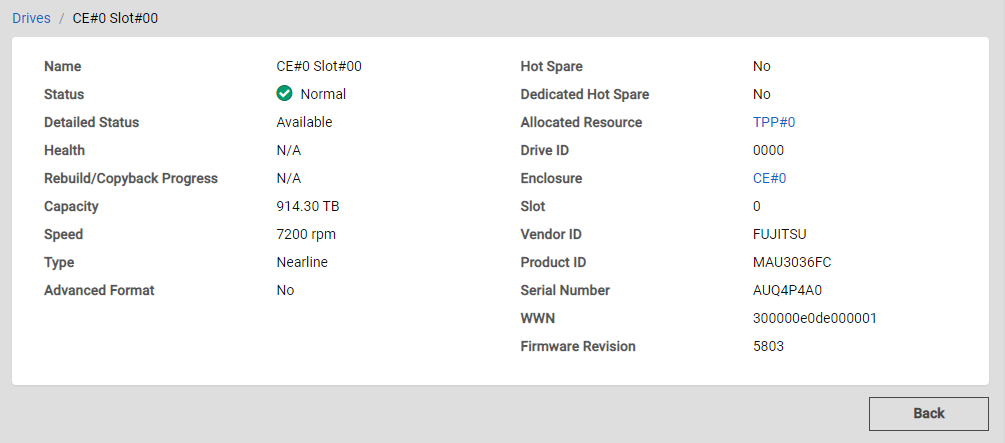
Actions
| Icon/Button | Description |
|---|---|
Back |
Displays the previous screen. Caution
|
Drives/ xxx |
Click "Drives" to display its List View. "xxx" indicates the name of the currently displayed drive. |
Display Items
Basic Information
| Parameter Name | Description |
|---|---|
Name |
The drive name is displayed. |
Status |
The drive status is displayed.
|
Detailed Status |
The detailed drive status is displayed.
|
Health |
The drive lifetime (or remaining life) is displayed. As the lifetime of the drive is reduced, the value is decreased. The unit is "%". Information
|
Rebuild/Copyback Progress |
The progress rate of a rebuild or a copyback is displayed. The unit is "%". Information
|
Capacity |
The capacity of the drive is displayed. The capacity is displayed up to the second decimal place with the appropriate "GB" or "TB" unit. It may differ from the product's actual capacity. |
Speed |
The drive speed is displayed. The unit is "rpm". Information
|
Type |
The drive type is displayed.
|
Advanced Format |
Whether the drive is Advanced Format compliant is displayed.
Information
|
Hot Spare |
Whether the drive is registered as a hot spare is displayed.
|
Dedicated Hot Spare |
Whether the drive is registered as a Dedicated Hot Spare is displayed.
Information
|
Allocated Resource |
The name of the Thin Provisioning Pool, Flexible Tier Pool, or RAID group that is configured by the drive is displayed. For Dedicated Hot Spares, the RAID group name where the Dedicated Hot Spare is registered is displayed. For Thin Provisioning Pools, click a pool name to display its Detail View. Information
|
Drive ID |
The drive identifier that is used for RESTful API is displayed. |
Enclosure |
The enclosure name where the drive is installed is displayed. Click an enclosure name to display its Detail View. |
Slot |
The Slot Number where the drive is installed is displayed. This value is displayed as a decimal number. |
Vendor ID |
The drive manufacturer name is displayed. |
Product ID |
The drive product name is displayed. |
Serial Number |
The serial number of the drive is displayed. |
WWN |
The drive WWN is displayed. |
Firmware Revision |
The drive firmware version is displayed. |