


Enclosure List View
Overview
The enclosure information is displayed in list form.
Screenshots
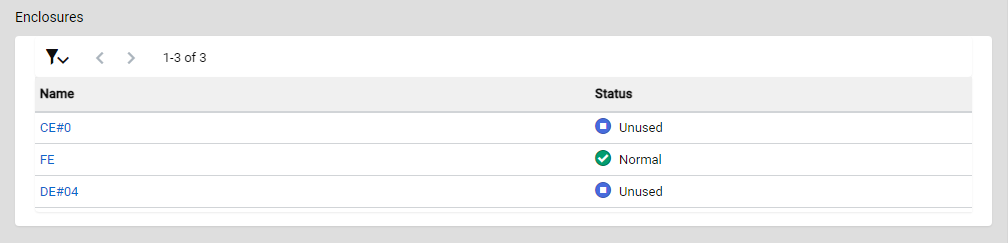
Actions
| Icon/Button | Description |
|---|---|
 |
Opens/closes the filter menu. Click this icon to open the filter menu to filter the display items and display resources of the list. Click this icon again to close the filter menu. The filter menu is closed by default. |
|
< > X - Y of Z |
Changes the List page. Click the left arrow icon to return to the previous page. Click the right arrow icon to proceed to the next page. The location of the currently displayed resource and the total number of resources are also displayed. X: The start point of the currently displayed list element. Y: The end point of the currently displayed list element. Z: The total number of elements. |
Display Items
| Parameter Name | Description |
|---|---|
Name |
The enclosure name is displayed. Click an enclosure name to display the Detail View for that enclosure type. |
Status |
The enclosure status is displayed.
|
Filters
| Parameter Name | Description |
|---|---|
Default Settings |
Reverts the filter menu setting to the default. |
Items per page |
Select the number of resources to display per page in the list. The default number is 20.
|
Name |
Specify the name of the enclosure to be displayed in the list. Information of the enclosure whose name partially matches the specified string is displayed. If no values are specified, the list will not be filtered by enclosure name. This item is blank by default. Information
|
Status |
Select whether to display the "Status" column in the list. The "Status" column is displayed by default. This item is also used to select the status of the enclosure that is to be displayed in the list. The enclosures that are in the selected status are displayed in the list. If no enclosure statuses are selected, the list will not be filtered by status. No enclosure statuses are selected by default.
|