Device Time Synchronization
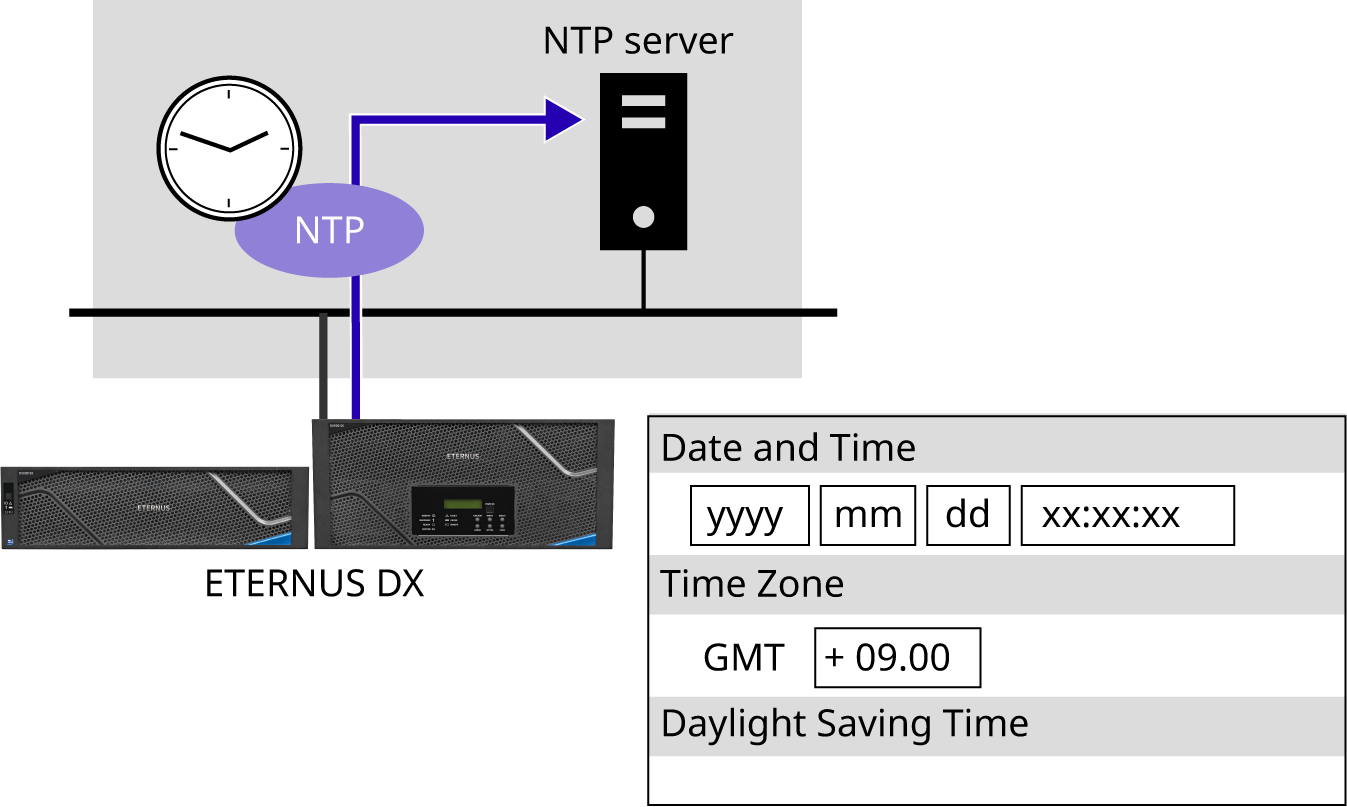
The ETERNUS DX treats the time that is specified in the Main CM as the system standard time and distributes that time to other modules to synchronize the storage time. The ETERNUS DX also supports the time correction function by using the Network Time Protocol (NTP). The ETERNUS DX corrects the system time by obtaining the time information from the NTP server during regular time correction.
The ETERNUS DX has a clock function and manages time information of date/time and the time zone (the region in which the ETERNUS DX is installed). This time information is used for internal logs and for functions such as Eco-mode, remote copy, and remote support.
The automatic time correction by NTP is recommended to synchronize time in the whole system.
When using the NTP, specify the NTP server or the SNTP server. The ETERNUS DX supports NTP protocol v1 through v4. The time correction mode is Step mode (immediate correction). The time is regularly corrected every three hours once the NTP is set.
If an error occurs in a system that has a different date and time for each device, analyzing the cause of this error may be difficult.
Make sure to set the date and time correctly when using Eco-mode.
The stop and start process of the disk motors does not operate according to the Eco-mode schedule if the date and time in the ETERNUS DX are not correct.
Using NTP to synchronize the time in the ETERNUS DX and the servers is recommended.