


Login Host
Overview
This function displays the hosts that are currently logged in to the port.
Display target ports are FC ports and iSCSI ports.
This function does not display CA ports where no hosts are logged in.
- If all of the following conditions are satisfied, the information of the remote storage system for REC is displayed as a host that is logged in to the RA port.
The Advanced Copy license has been registered
An REC path has been configured between the local and remote storage systems
Display Contents
The location information of the port and the information of the host that is currently logged in to the relevant port are displayed.
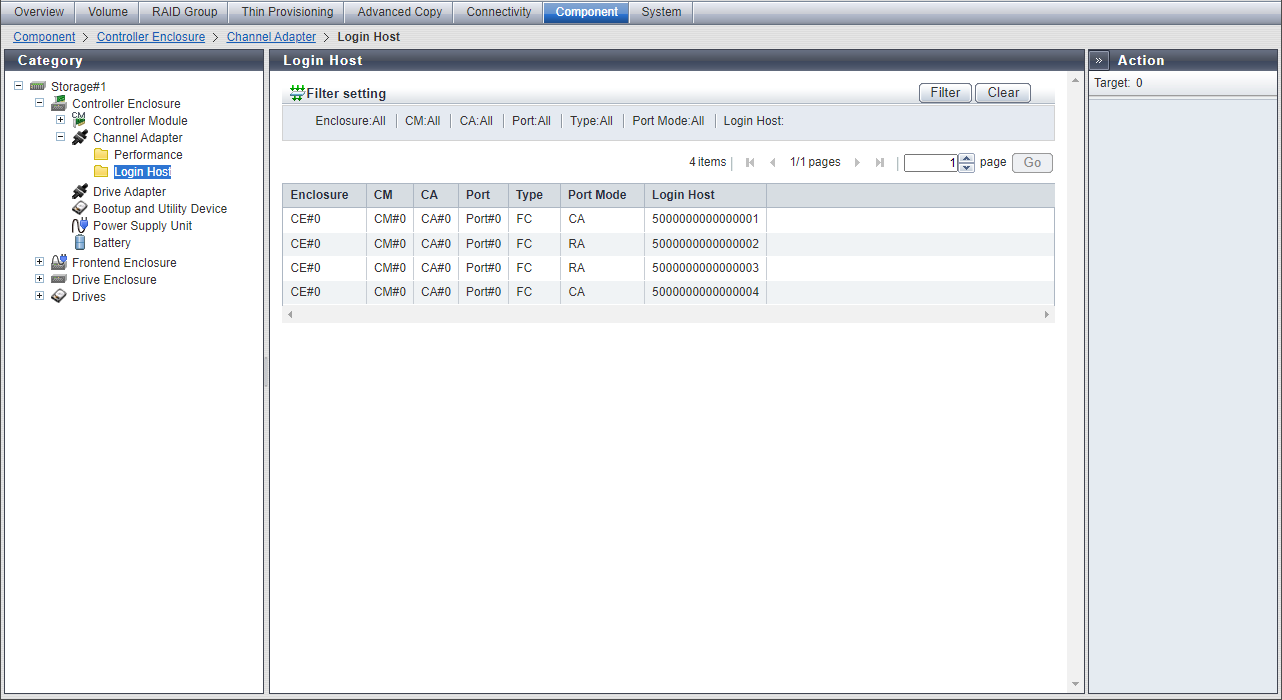
| Item | Description | ||||||||||||||||
|---|---|---|---|---|---|---|---|---|---|---|---|---|---|---|---|---|---|
|
Enclosure |
The CE number is displayed. This item is displayed for the ETERNUS DX900 S6 or the ETERNUS DX8900 S6. CE#n |
||||||||||||||||
|
CM |
The CM number is displayed. CM#n |
||||||||||||||||
|
CA |
The CA number is displayed. CA#n |
||||||||||||||||
|
Port |
The port number is displayed. Port#n |
||||||||||||||||
|
Type |
The port type is displayed. FC iSCSI |
||||||||||||||||
|
Port Mode |
The port mode of the port is displayed. If the port mode is "CA/RA" and the port is used as a CA port, "CA/RA (CA)" is displayed. If the port mode is "CA/RA" and the port is used as an RA port, "CA/RA (RA)" is displayed. CA CA/RA (CA) RA CA/RA (RA) |
||||||||||||||||
|
Login Host |
The information of the host that is currently logged in to the port is displayed. If multiple hosts are logged in to a single port, the information of each host is displayed as follows.
|