
SnapCenter Plug-in for VMware vSphere 4.9 ( CA08871-282 ~ 295 )
Modify the time zones for backups
Before you begin
You must know the IP address and the log in credentials for the SnapCenter Plug-in for VMware vSphere management GUI.
-
The IP address was displayed when the SnapCenter VMware plug-in was deployed.
-
Use the log in credentials provided during the deployment of the SnapCenter VMware plug-in or as later modified.
Steps
-
Log in to the SnapCenter VMware plug-in management GUI.
Use the format
https://<appliance-IP-address>:8080 -
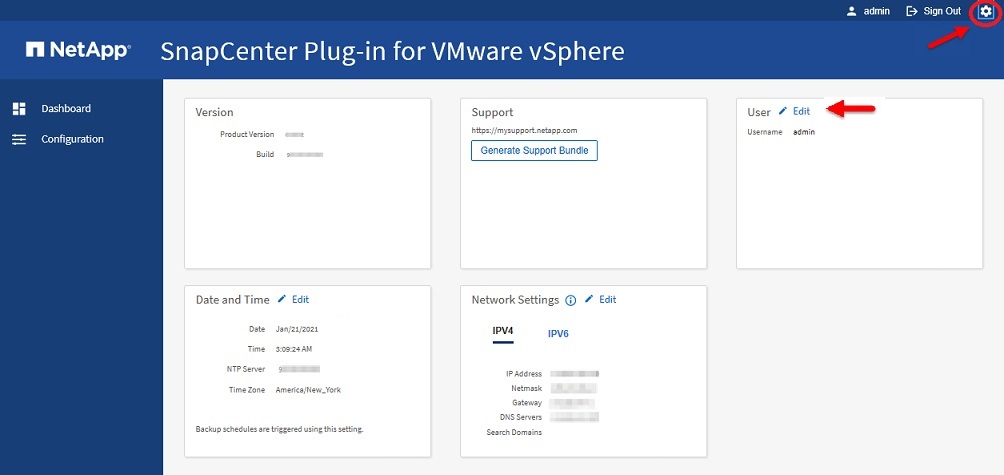
Click the Settings icon in the top toolbar.
-
On the Settings page, in the Date and Time section, click Edit.
-
Select the new time zone and click Save.
The new time zone will be used for all backups performed by the SnapCenter VMware plug-in.
